For the best printing results, it is generally recommended to use images with a resolution of 300 DPI (dots per inch). For smoother upload and optimal system performance, we also recommend keeping individual image files below 10MB where possible.
Keep in mind that the higher the resolution of a photo, the larger its file size will be. Compression can reduce the file size but may also affect the quality of the photo, potentially leading to undesirable results when printed. If the photo you use in a design doesn't meet our recommended resolution, a warning will appear on the photo.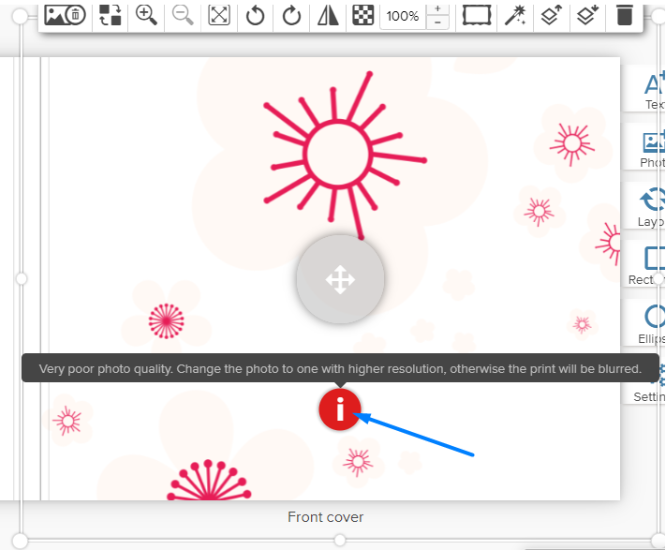
This warning is intended to help prevent dissatisfaction with prints. While the photo may appear fine on screen, it may not print well. If you see a resolution warning, it’s best to use a higher-quality photo or reduce the photo's size in your design until the warning disappears.
Please note that while our system can check for resolution, it cannot evaluate the overall quality, clarity, focus, or composition of your photo. For example, if a photo is blurry due to being out of focus, or if it was taken with excessive zoom, our system won’t detect these issues. Therefore, we strongly recommend thoroughly reviewing your photo for quality before uploading it.
Was this article helpful?
That’s Great!
Thank you for your feedback
Sorry! We couldn't be helpful
Thank you for your feedback
Feedback sent
We appreciate your effort and will try to fix the article